

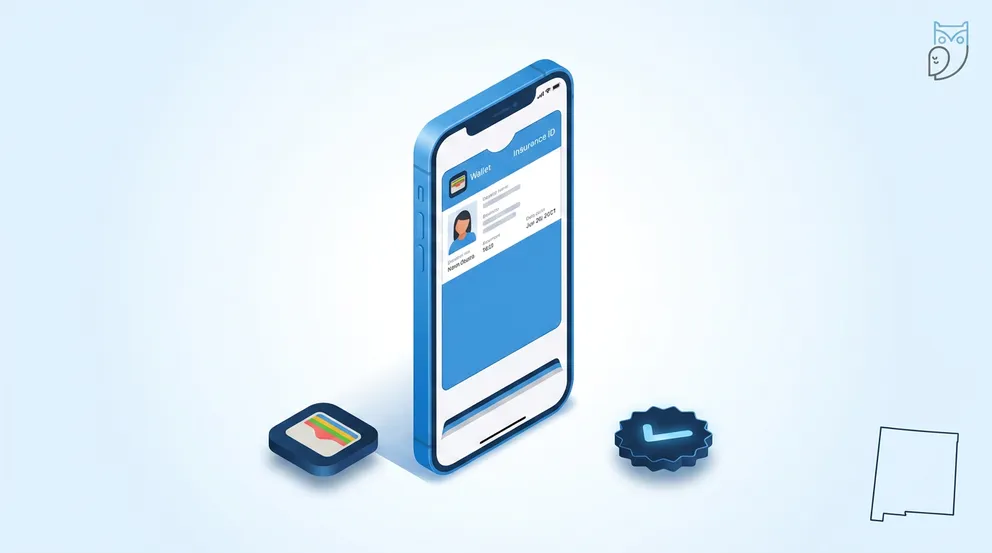
Open your insurer's iPhone app, tap the ID Cards section, then tap the black "Add to Apple Wallet" button and confirm. GEICO, State Farm, Progressive, Allstate, Farmers and USAA all support it. Digital proof of insurance is legal in 49 states and Washington D.C., with New Mexico the only state that still demands paper.
Roughly 91% of American adults carry a smartphone, yet about half of us still keep household insurance documents in a paper folder, according to survey data cited by The Zebra. That gap costs drivers money. A no-proof-of-insurance citation runs $175 to $350 on a first offense in Texas and $100 to $200 plus assessments in California, and plenty of those tickets go to people who were fully insured and simply left the card in the other car.
Apple Wallet solves that in about 90 seconds. Your card sits next to your boarding passes and credit cards, opens with a double-click of the side button, and works with zero cell signal.
- Six major carriers (GEICO, State Farm, Progressive, Allstate, Farmers, USAA) build "Add to Apple Wallet" directly into their iPhone apps.
- New Mexico is the lone holdout: officers there are not required to accept a phone screen, so keep a printed card in the glovebox.
- Handing over your phone is not consent to a search. Minnesota Statute 169.791, Illinois 625 ILCS 5/7-602 and Michigan MCL 257.328 all say so explicitly.
- An Apple Wallet pass works offline; a carrier app screen often does not.
- Texas courts dismiss the charge entirely if you later show coverage was active on the date of the stop.
Which Insurers Support Apple Wallet
Not every carrier has built the integration. Six of the largest ones have, and a few others only give you a PDF that you have to work around.
| Carrier | Native "Add to Apple Wallet" | Where to find it in the app | Works offline once added |
|---|---|---|---|
| GEICO | Yes | Home screen → View ID Cards | Yes, cards save to the device and open logged out |
| State Farm | Yes | Auto policy → ID Cards | Yes |
| Progressive | Yes | Policy details → ID Cards | Yes |
| Allstate | Yes | Auto → Proof of Insurance | Yes |
| Farmers | Yes | My Policies → ID Cards | Yes |
| USAA | Yes | Auto → Proof of Insurance | Yes |
| Most regional and non-standard carriers | No, PDF download only | Documents or ID Cards section | Only if you save the PDF to the Files app first |
Source: carrier mobile apps and GEICO's digital ID card documentation, cross-checked against The Zebra's December 2024 carrier list. Menu labels shift between app versions, so look for any button containing the word "ID" or "card."
If you are shopping carriers and the app matters to you, our GEICO review and State Farm review both break down the mobile experience alongside rates. Military households can compare app features in the USAA review.
How to Add Your Insurance Card to Apple Wallet
Install and sign in to your carrier's app
Your web login works in the app. If you have never registered, you will need your policy number and last name to create the account.
Open the ID Cards section
Carriers label this differently. GEICO calls it "View ID Cards," Allstate and USAA use "Proof of Insurance," and Progressive buries it under policy details.
Tap the black "Add to Apple Wallet" button
iOS shows a preview of the pass. Check the policy number, the vehicle VIN and the expiration date before confirming.
Tap Add in the top right
The pass lands in Wallet immediately. Repeat for each insured vehicle, since most carriers issue one card per VIN.
Test it in airplane mode
Switch off cellular, double-click the side button and confirm the card still renders. A genuine Wallet pass will; a carrier app usually will not.
Turn on Automatic Updates for the pass (tap the three dots on the card, then Pass Details). When your carrier reissues the card at your 6-month renewal, the pass refreshes itself instead of expiring silently in your Wallet.
What to Do if Your Carrier Has No Wallet Button
Regional carriers and non-standard insurers frequently skip the integration and hand you a PDF instead. Two workarounds actually hold up roadside.
- Save the PDF to the Files app under On My iPhone, which keeps it readable with no signal. Tap the share icon in your carrier's app, choose Save to Files, and pick a folder you will remember at 11pm on a shoulder.
- Screenshots work but degrade fast. The image never updates when your policy renews, and an expired card on screen looks worse to an officer than no card at all.
- Third-party pass generators such as NeatPass convert a PDF into a real .pkpass file that lives in Wallet. Uploading your policy number, VIN and address to a company you have never heard of is a real privacy trade, so weigh it against simply printing the card.
Never edit dates on a saved image or PDF. Presenting an altered card is insurance fraud, and Texas prosecutors filed charges in 2026 against a ring selling forged auto insurance cards. Read more in our guide to common car insurance scams.
Is Digital Proof of Insurance Legal in Your State?
Forty-nine states plus Washington D.C. accept electronic proof of auto insurance at a traffic stop, at the DMV counter and after a collision. Every one of those states passed a statute putting a phone screen on equal footing with the paper card your carrier mailed you.
New Mexico law does not obligate an officer to accept a digital card, and the state DMV will not take one either. Anyone driving I-40 through Albuquerque or I-25 through Las Cruces should keep a printed card in the glovebox, even with a perfectly valid pass in Apple Wallet.
Border-hopping matters more than people expect. Coverage follows the car across state lines, but the rules on how you prove it do not. A Colorado driver whose only card lives in Wallet is fine at home and exposed the moment they cross into New Mexico on a ski trip.
Showing Your Phone Does Not Let Police Search It
This is the part almost no other guide covers, and it is the single best reason to know your own state's statute. When legislatures legalized electronic proof, most of them wrote in an explicit privacy shield: displaying the card grants the officer permission to look at that card and nothing else.
| State | Statute | What the law actually says |
|---|---|---|
| Minnesota | Minn. Stat. 169.791 | Displaying proof on a device "does not constitute consent" for an officer to access other contents of the device |
| Illinois | 625 ILCS 5/7-602 | Use of a phone to display proof is not consent for an officer, a court, or an officer of the court to access other contents |
| Michigan | MCL 257.328 | The officer "shall only view" the certificate of insurance and may not manipulate the device to view any other information |
| Wisconsin | 2013 Wisconsin Act 31 | The person shown the proof "may not view any other content on the device" |
| Maine | Public Law Ch. 72 | Electronic display does not constitute consent for law enforcement to access other contents of the device |
| Florida | Fla. Stat. 316.646 | Presenting a device gives the officer no authority beyond viewing the proof, and grants the officer immunity for accidental damage |
Statutory language above is quoted from the state codes as published by the Minnesota Revisor of Statutes, the Illinois General Assembly, the Michigan Legislature and the Florida Legislature. Every state's electronic-proof statute reads slightly differently, so check your own before you rely on the exact wording.
Two practical habits follow from that. Open the pass yourself before you roll the window down, and hand the phone over already showing the card rather than unlocked to the home screen. Better still, most officers will accept you holding the screen up rather than surrendering the device, which sidesteps the question entirely. Michigan drivers can read more about state rules on our Michigan car insurance page, and Florida drivers should check the Florida car insurance page for no-fault specifics that also come up at a stop.
Every one of these statutes protects you from a fishing expedition, not from a lawful search backed by probable cause or a warrant. The privacy shield covers the insurance card interaction only.
What a Missing Insurance Card Actually Costs
Failing to produce proof is a separate offense from driving uninsured, and courts treat the two very differently. About 15.4% of drivers carry no coverage at all, per the Insurance Research Council, and those drivers face suspensions. Insured drivers who simply cannot find the card usually escape with a fee, provided they follow up.
| State | First-offense fine | Dismissed if you later show valid coverage? | License suspension on first offense |
|---|---|---|---|
| Texas | $175 to $350 | Yes, charge dismissed with no fine | No |
| California | $100 to $200 plus assessments | Reduced, not always dismissed | Possible, up to one year |
| Missouri | $175 to $225 (judge may impose $500) | Yes, minus a $25 to $75 court admin fee | Possible |
| Florida | About $10 clerk fee on dismissal | Yes, show the clerk before your court date | No, if coverage was active |
| Georgia | Up to $25 (misdemeanor citation) | Yes | No |
| New Jersey | $300 and up | Varies by municipal court | Possible, up to one year |
Fine ranges compiled from ValuePenguin's state penalty analyses and MoneyGeek's 2026 driving-without-insurance report. Municipal courts set their own schedules, so a St. Louis County ticket and a rural Missouri ticket for the identical offense can differ by $200.
Do the math on the time cost, not just the fine. A Texas dismissal still means a court appearance, an afternoon off work and roughly $50 in parking and gas. Ninety seconds in Apple Wallet avoids all of it.
The card in your glovebox expired six months ago and you have not thought about it since. The pass in Apple Wallet, with automatic updates switched on, refreshes itself the day your carrier issues the new one.
Renewals, Multiple Cars and Android
Most auto policies run in six-month terms, which means two new ID cards per vehicle per year. Carriers that push automatic pass updates (GEICO, State Farm and Progressive among them) handle the swap invisibly. Everyone else expects you to re-add the card manually, and an expired pass is worth exactly as much as an expired paper card at a stop.
Households with three cars end up with three separate passes, since carriers issue one card per VIN. Drag them into a single Wallet group by long-pressing a pass and reordering, so you are not scrolling past two Delta boarding passes while an officer waits.
Android users get the same result through Google Wallet, though carrier support is thinner. The Progressive and Allstate apps both push passes to Google Wallet; several regional carriers ship an iOS-only integration and leave Android users with a PDF.
One more scenario worth planning for: after a collision, you will be exchanging information while adrenaline is running. A Wallet pass opens with a double-click even on a cracked or nearly dead phone, and screenshotting the other driver's card takes two seconds. Our guide to accident claim settlements walks through what else to collect at the scene.
Frequently Asked Questions
Open your insurer's iPhone app, sign in, navigate to the ID Cards or Proof of Insurance section, and tap the black "Add to Apple Wallet" button. Review the preview showing your policy number and VIN, then tap Add in the top right corner. The whole process takes under two minutes, and you should repeat it for each insured vehicle since carriers issue one card per VIN.
GEICO, State Farm, Progressive, Allstate, Farmers and USAA all offer a native Add to Apple Wallet button in their iPhone apps. Many regional and non-standard carriers only provide a PDF download, which you can save to the Files app for offline access or convert into a Wallet pass using a third-party tool.
Yes, in 49 states and Washington D.C. Every one of those states passed a statute making an electronic display equivalent to a paper card at a traffic stop, at the DMV and after an accident. New Mexico is the only exception, where officers are not required to accept a phone screen and you should carry a printed card.
No. Most state electronic-proof statutes include an explicit privacy shield. Minnesota Statute 169.791 and Illinois 625 ILCS 5/7-602 both say that displaying proof on a device does not constitute consent to access other contents. Michigan MCL 257.328 goes further and states that the officer shall only view the certificate and may not manipulate the device to see anything else. These protections cover the insurance interaction only, not a lawful search backed by probable cause.
Yes. A Wallet pass is stored on the device itself and renders with no signal and no data connection, which is the main advantage over opening your carrier's app. Test it by switching on airplane mode and double-clicking the side button. GEICO also saves ID cards to the device so they open even when you are logged out of the app.
First-offense fines range from about $25 in Georgia to $350 in Texas and $300 or more in New Jersey. If you were actually insured at the time of the stop, most states dismiss or heavily reduce the charge once you show the court valid coverage for that date. Texas dismisses the charge with no fine, while Missouri drops it for a court administrative fee of $25 to $75.
- Minnesota Revisor of Statutes - Section 169.791, Proof of Insurance
- Illinois Vehicle Code - 625 ILCS 5/7-602, Electronic Proof of Insurance
- Michigan Legislature - MCL 257.328, Certificate of Insurance
- Florida Legislature - Statute 316.646, Security Required
- GEICO - Digital ID Cards
- State Farm - Electronic Proof of Insurance Card
- The Zebra - How to Add Insurance Cards to Apple Wallet
- MoneyGeek - Penalties for Driving Without Insurance (2026)
- ValuePenguin - Penalties for Driving Without Insurance in Texas